Author: Huang Publish Time: 22-02-2026 Origin: Site


If you’re choosing lighting for a home study, classroom, or library, you’re probably balancing two goals: keep discomfort glare low—often summarized as UGR ≤19—and keep light comfortable for long reading and screen sessions without overloading short-wave “blue” content. This guide explains both in plain language and then shows you how to apply the principles, step by step, for three common spaces.
When someone asks for “UGR 19 lighting,” they’re usually targeting the EN 12464-1 comfort limit commonly applied to offices, classrooms, and reading areas in libraries. In practice, you verify UGR ≤19 at specific observer positions (seated/standing), in two viewing directions (lengthwise and crosswise), and you take the worst-case value as your check. Tools such as DIALux and Relux generate these tables for you using photometric files. See DIALux’s UGR support note for how these observer positions and viewing directions are handled in software.
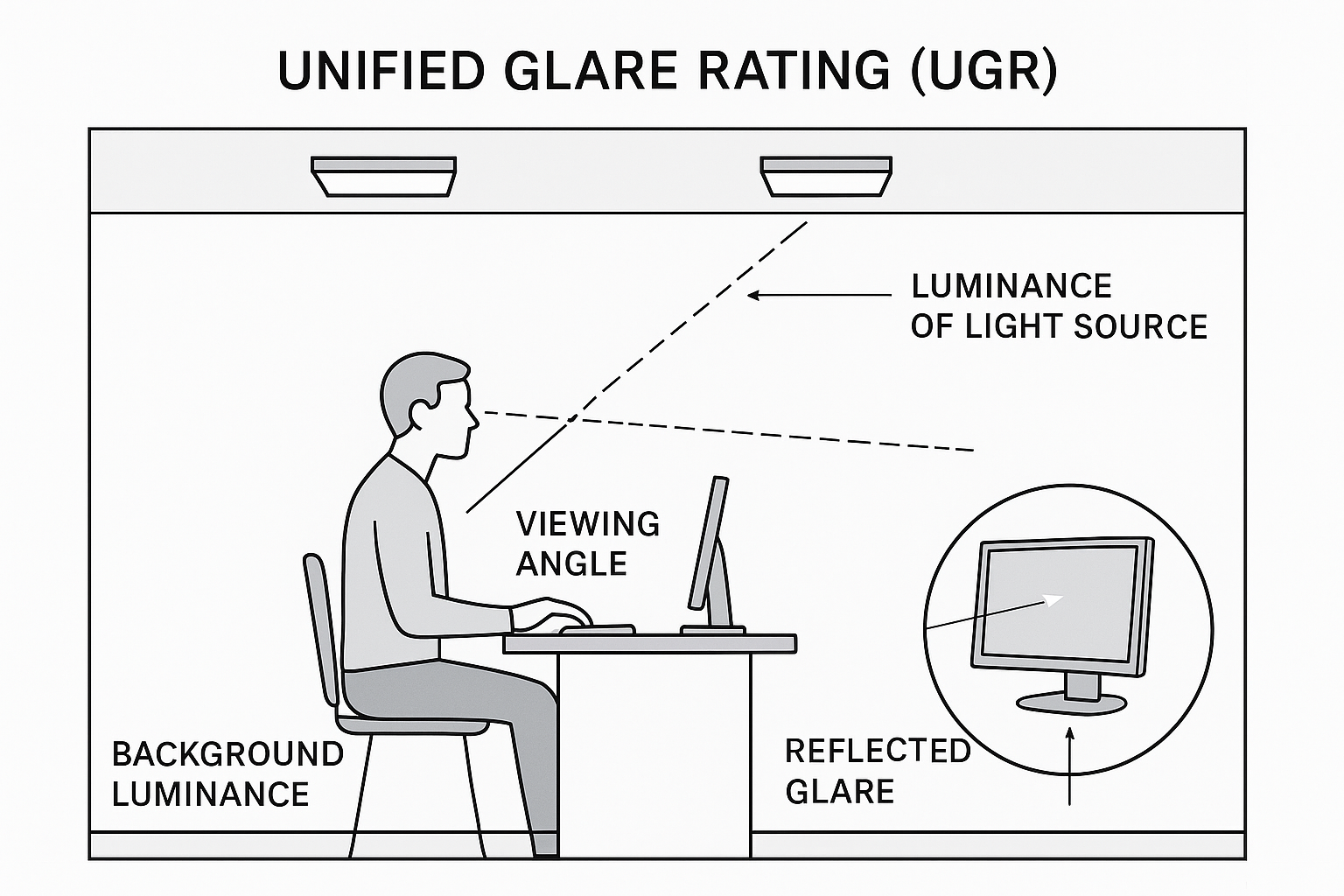
High-angle luminance dominates glare. Bright emitters visible around 65° from your line of sight (think: looking across a room and catching direct LED images) are the usual culprits.
Background luminance matters. Very dark ceilings or glossy desks can increase perceived contrast, making bright sources feel harsher.
Screen work adds another constraint. Beyond UGR, EN 12464-1 also manages reflected glare on displays through luminance-at-65° (L65) limits. Low-luminance optics and controlled high-angle output help keep reflections in check. ZVEI and manufacturer explainers cover how L65 complements UGR; the ZVEI document above is a good starting point.
Think of this as a two‑step check: first make sure the light is safe, then tune it so people feel comfortable for long reading or screen use.
Standards like IEC/EN 62471 sort light sources into risk groups (RG0–RG3). In everyday indoor setups most white LED lighting ends up in RG0 (exempt) or RG1 (low risk), which basically means it’s not expected to be a blue‑light hazard for the general public. For authoritative context see the CIE position on blue‑light hazard (2019) and the ICNIRP LEDs statement (2020).
IEC TR 62778 explains how manufacturers can transfer component‑level blue‑light checks to a finished luminaire; practical summaries such as Luminus on IEC TR 62778 are useful if you need implementation notes.
Even when a product is in RG0/RG1, people can still feel tired or strained after hours under the same lights. To reduce that:
Aim for CCT ≤ 4000 K — a neutral‑warm tone that avoids an overly blue cast.
Specify CRI around 90 so text, paper and skin tones look natural.
Use low‑flicker drivers to minimize subtle visual fatigue.
Choose shielded or anti‑glare optics (microprismatic diffusers, deep‑recessed baffles, or honeycomb grids) to cut bright hotspots at high viewing angles.
In short: safety standards tell you the lamp won’t cause harm; these comfort choices make long reading and screen work easier on the eyes.
You selected three scenarios—home study, classroom, and library. The core ideas stay the same, but the patterns differ.
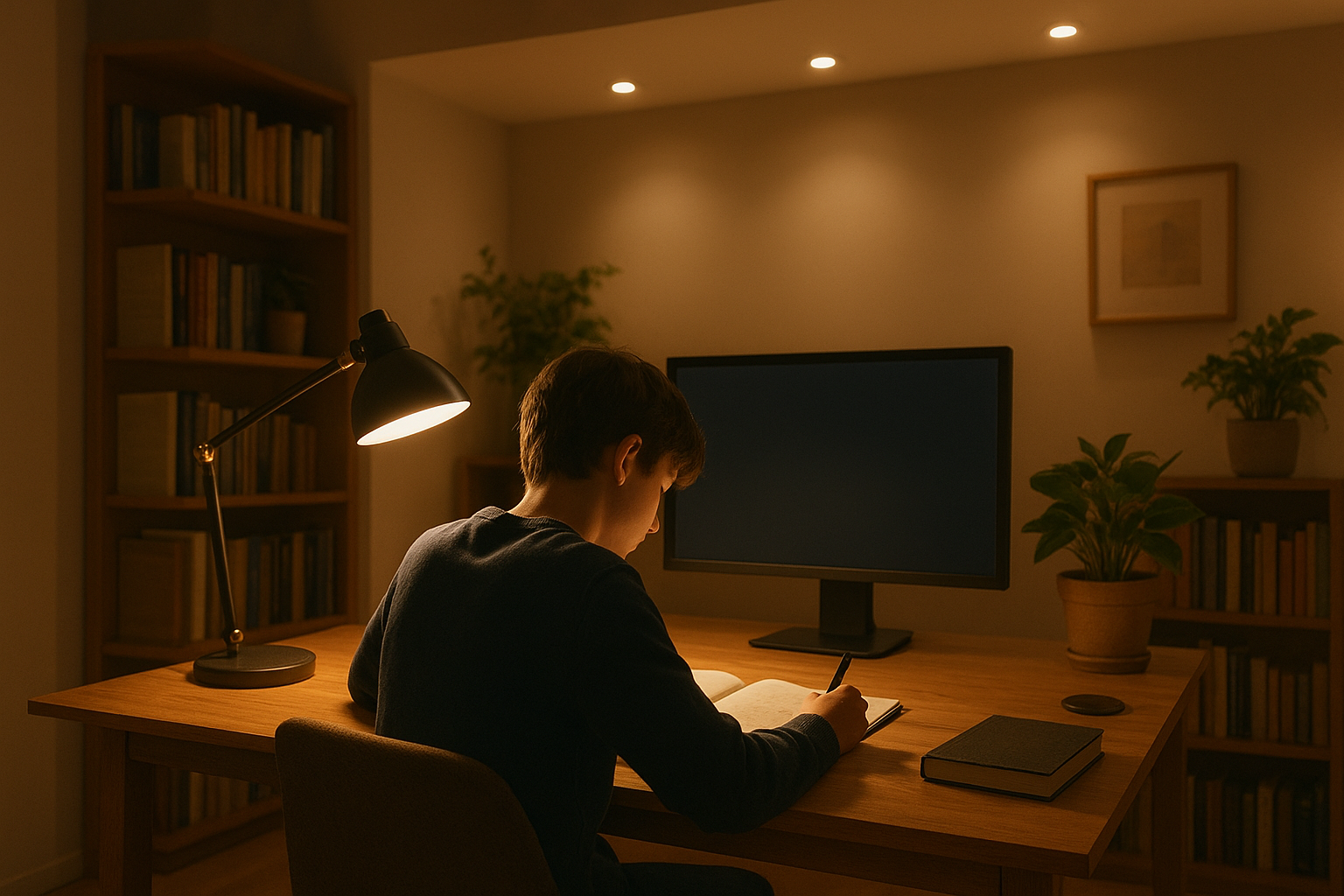
Light layering. Pair low-glare ambient light (recessed downlights with baffles or a small microprismatic panel) with a shielded, adjustable task lamp. Aim the task beam to the non-dominant side to avoid casting hand shadows across pages or keyboards.
Visual-comfort settings. Choose 3000–4000 K and CRI around 90. Keep luminaires out of your monitor’s direct reflection path; a slight forward offset or indirect component helps.
UGR check. In a small room, a single bright downlight directly above the desk can be glaring. A microprismatic panel or two smaller, recessed fixtures set wider apart often model better.
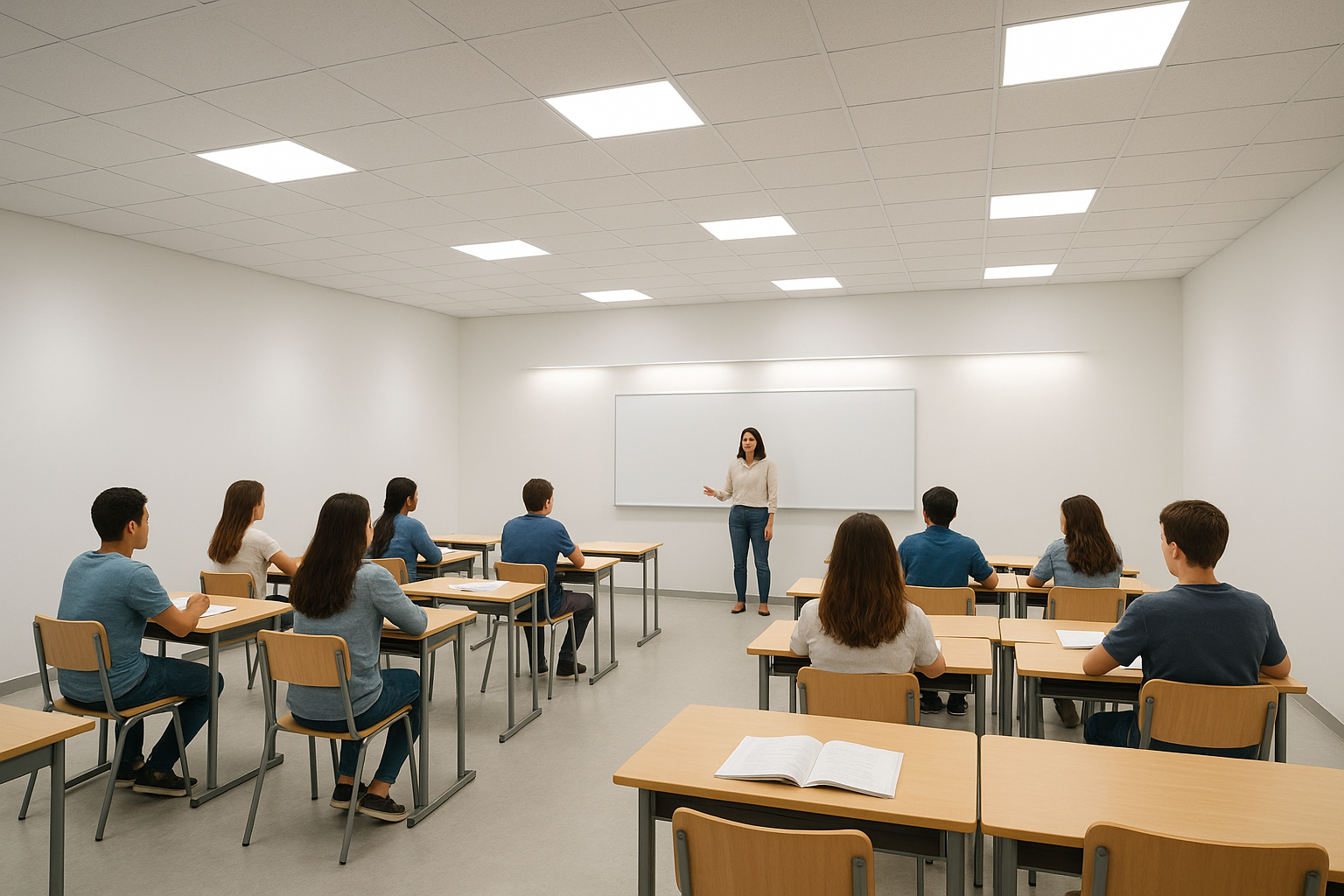
Dual-zone approach. Treat the desk plane and the teaching wall as distinct layers. For the desk plane, keep UGR ≤19 in student sightlines and maintain even horizontal illuminance. For the board, use asymmetric wallwashers mounted a short offset from the wall to achieve uniform vertical lighting without hotspots or teacher glare.
Fixture selection. Gridded or microprismatic panels work well over desks. When researching options and selection criteria, see this primer on microprismatic panel lights for classrooms and offices (KEOU internal resource).
Controls. Add dimming scenes for AV use so you can reduce front-of-room brightness without plunging the rest of the room into darkness.
For comfort ranges and zone targets in educational settings, many application guides and manufacturer summaries align with EN 12464-1 values (e.g., desks/reading areas at UGR 19). A practical overview for library/reading areas, which mirrors classroom comfort targets, is provided by Glamox’s education page: library and study hall targets referencing EN 12464-1 (application guide).
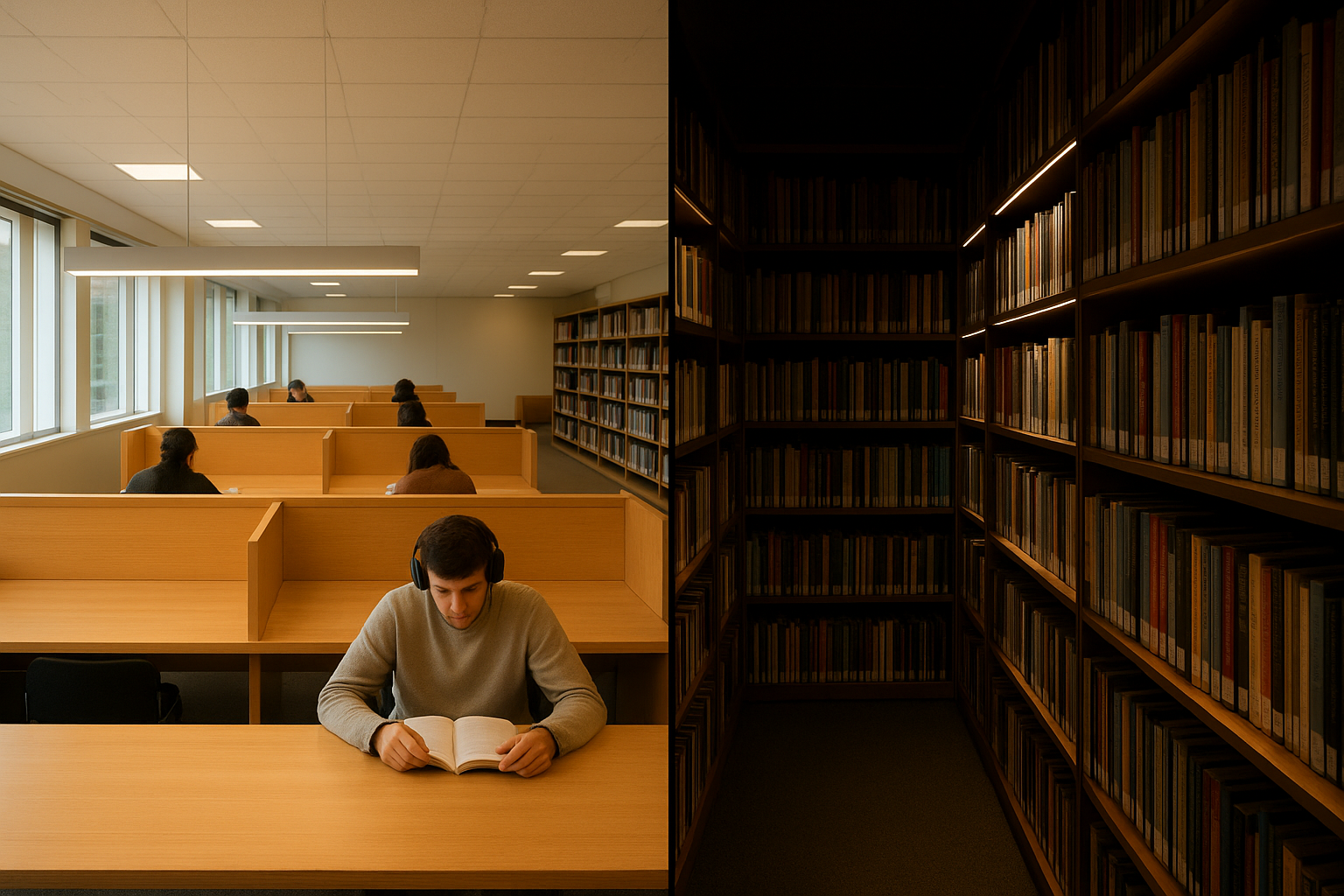
Reading areas. Prioritize uniformity and a quiet luminance hierarchy. Low-glare linear systems or microprismatic panels create an even field without bright pinpoints. When exploring options, browse anti-glare panel lights suited to large indoor spaces (KEOU category page).
Carrels and tables. Add local, shielded task lights where people read for long periods. Keep CCT at or below 4000 K and CRI near 90 for comfortable page contrast.
Stacks. Provide uniform vertical light on book spines; consider narrow or asymmetric distributions along aisles so the light reaches the mid-to-lower shelves without producing high-angle glare.
Think of this as your pre-tender sanity check:
Confirm the target: UGR ≤19 for study desks, classrooms, and library reading areas; verify with software at seated/standing eye positions in both viewing directions.
Choose comfort-first spectra: CCT ≤4000 K and CRI around 90; specify low-flicker drivers.
Pick anti-glare optics: microprismatic diffusers, deep regress/baffles, honeycomb/louvers as needed.
Model geometry: tune spacing-to-height ratio; manage sightlines; avoid placing bright apertures in primary views.
Finish wisely: favor matte, moderately reflective ceilings and desks to moderate contrasts.
Document results: include UGR tables, illuminance plots, and notes on observer positions in the submittal.
Disclosure: KEOU Lighting is our product. On recent education retrofits, we’ve specified low-glare panels with microprismatic optics over student desks and asymmetric wallwashers for whiteboards, then verified UGR ≤19 in DIALux across student sightlines. Vendors like KEOU Lighting can support this approach with panels and downlights designed for low high-angle luminance; you still run the room-specific model to confirm compliance.
It’s a commonly adopted comfort limit from EN 12464-1 tables for spaces like offices, classrooms, and library reading areas. Projects may set different targets, but UGR ≤19 is a widely accepted benchmark for these tasks.
No. UGR depends on the installation—room size, surfaces, mounting, layout, and sightlines. Use the product label as a comparative hint, then verify with DIALux/Relux for your actual space.
Authoritative reviews from CIE and ICNIRP indicate typical indoor white LED lighting used as intended does not pose a blue light hazard to the general population. Comfort measures—CCT ≤4000 K, CRI ≈90, low flicker—are still wise for long reading and screen work.
UGR estimates discomfort glare from the overall installation for set observer positions and directions. L65 limits a luminaire’s average luminance at 65° to reduce reflections on screens. They complement each other in screen-centric spaces.
Not necessarily, but patterns differ. Home studies benefit from layered ambient-plus-task lighting. Classrooms need low-glare ambient over desks and asymmetric lighting for boards. Libraries emphasize uniformity and quiet visual environments with low-glare panels or linear systems.
External sources cited in context:
ERCO — UGR method as an installation metric: https://www.erco.com/en_us/designing-with-light/lighting-knowledge/lighting-design/ugr-method-7488/
ZVEI — UGR method explainer (CIE tabular method): https://www.licht.de/fileadmin/Publications/ZVEI_Publications/2110_E_ZVEI_UGR_method.pdf
DIALux — UGR support note: https://evo.support-en.dial.de/support/solutions/articles/9000116115-ugr
Glamox — Library and study hall targets (EN 12464-1 context): https://www.glamox.com/en/pbs/application-guide/education/libraries-and-study-halls/
CIE — Position Statement on blue light hazard (2019): https://cie.co.at/publications/position-statement-blue-light-hazard-april-23-2019
ICNIRP — LEDs statement (2020): https://www.icnirp.org/cms/upload/publications/ICNIRPled2020.pdf
Luminus — IEC TR 62778 explainer: https://luminusdevices.zendesk.com/hc/en-us/articles/10087466808589-Safety-Understanding-IEC-62778-and-Using-KV-B-to-Calculate-White-Light-Eye-Safety-Risk-Groups
Internal resources for deeper reading:
Microprismatic panel lights for classrooms and offices: https://www.keouled.com/blog/led-panel-lights-where-to-use-them-and-how-to-choose
Anti-glare panel lights category: https://www.keouled.com/indoor-panel-light
Panel specs comparison (efficacy, CRI, dimming, lifetime): https://www.keouled.com/blog/led-panel-specifications-comparison-efficacy-cri-dimming-lifetime-2026